An image studio in your macOS menu bar.
With an AI brain.
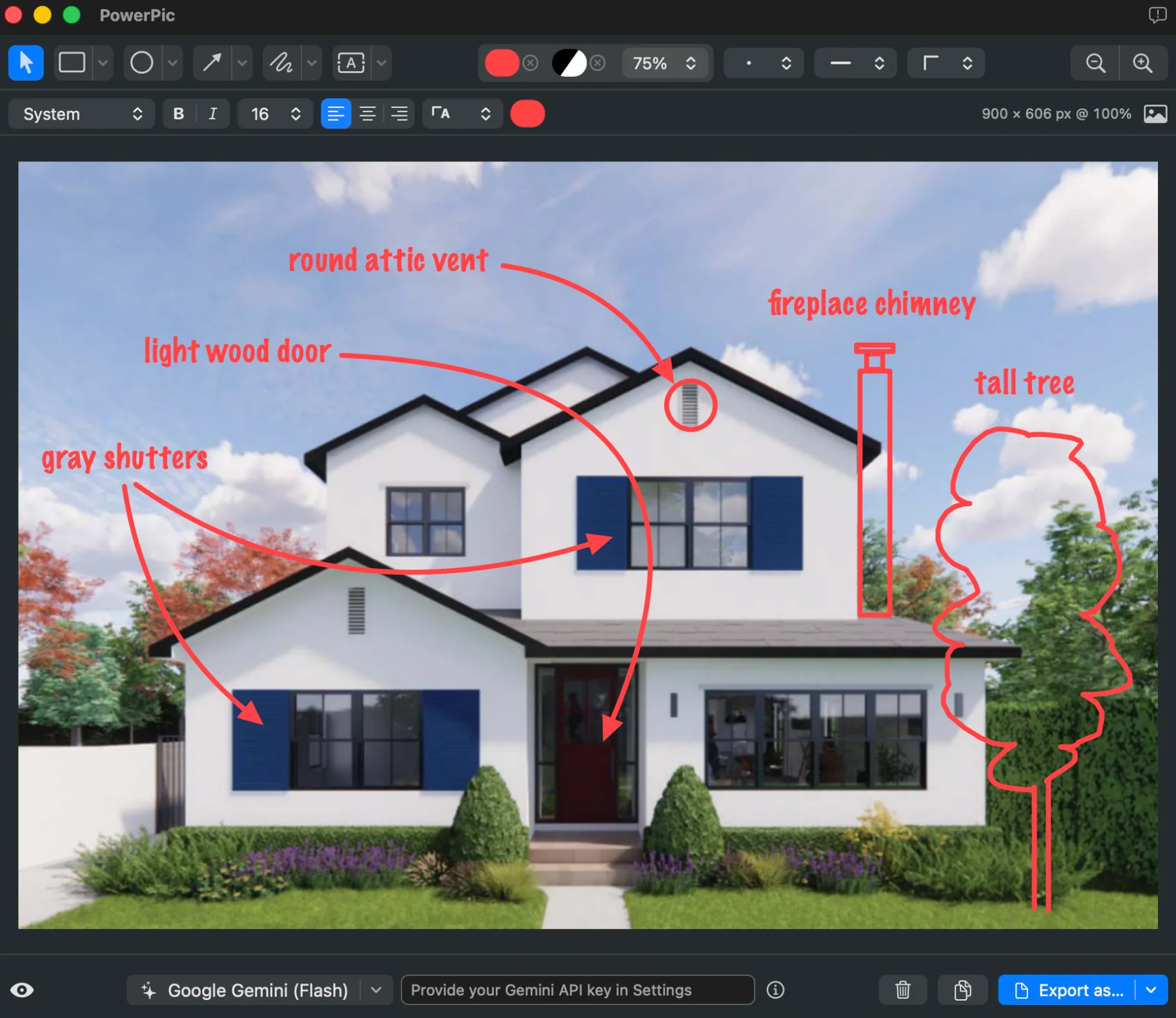

Capture screen region·Paste bitmap·Open image or PDF file
Add annotations·Make image edits·Modify via AI
Copy result·Export as·Save project
macOS 15.6+ · Apple silicon · Developer ID signed & Apple notarized
Fast capture
Drag to grab any region of your screen. A customizable global shortcut works from anywhere.
Annotation layers
Rectangles, ovals, image overlays, arrows, freehand, and text. Save common style presets.
Image editing
Resize, crop, rotate, flip, auto-enhance, straighten documents. All with full undo.
AI assistance
Ask AI to make image edits or apply annotations. Use on-device Apple Intelligence or Google Gemini (with your API key).
Native projects
Save annotated images as .powerpic files that remain layered and fully editable — pick up where you left off.
Export & share
One-click copy or export to PNG, JPEG, HEIC, TIFF, GIF, BMP, or WebP — flattened and ready to use.